Stripe Terminal vs Clover POS: Best for Vancouver Restaurants?
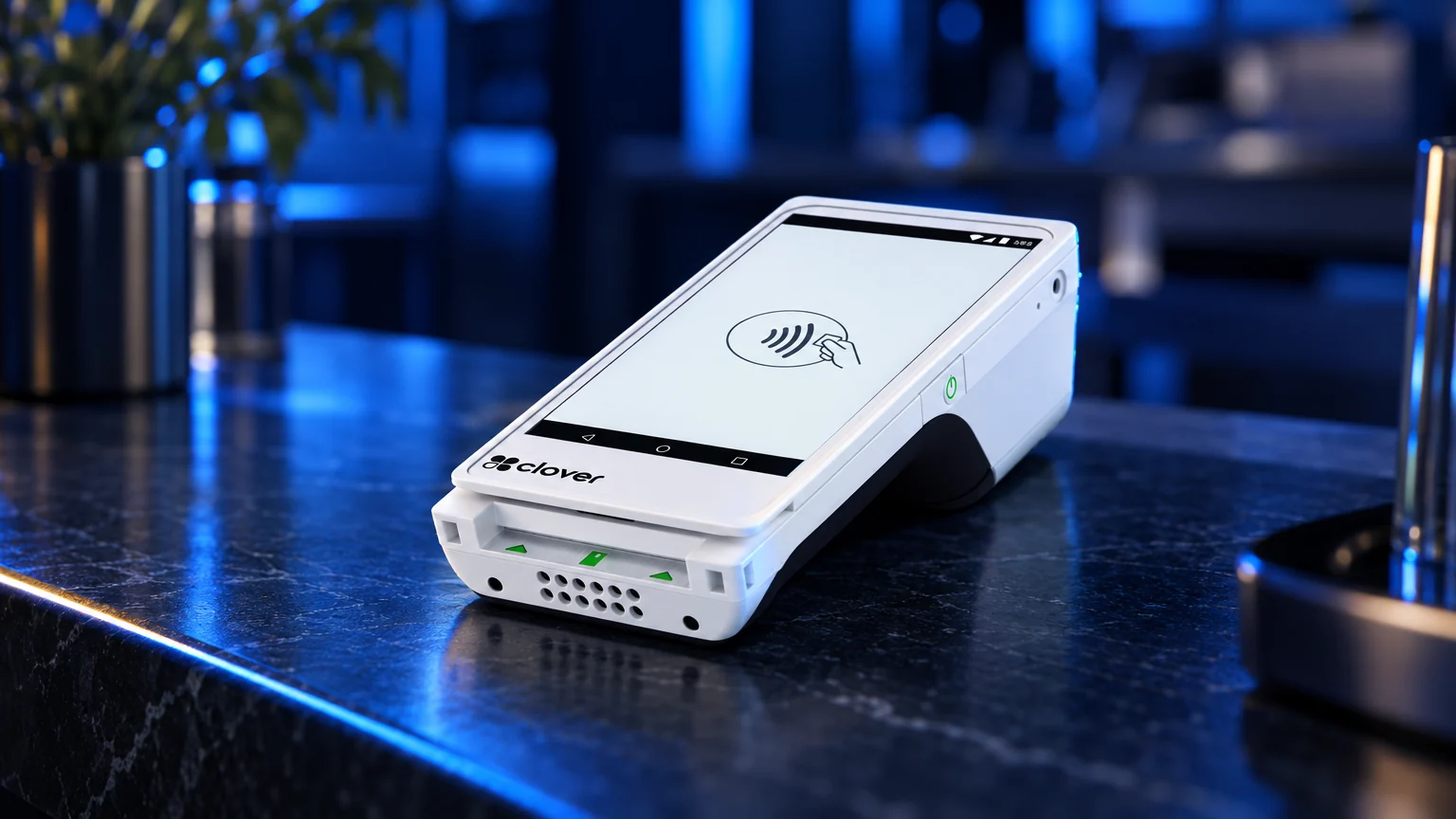
Choosing a point-of-sale system is one of the most consequential decisions a Vancouver restaurant owner makes. It shapes how fast servers ring in orders, how tips are handled at the end of a shift, how the kitchen receives tickets and how cleanly the books reconcile each night. Stripe Terminal and Clover POS both come up often in that conversation, but they are built for very different operating models. This guide compares them honestly for Vancouver restaurants, cafes and other local businesses, and is clear about where each one genuinely fits best.
The real decision is not simply Clover versus Stripe. It is whether your business needs a ready-to-run point-of-sale system with local onboarding and merchant support, or a flexible payments toolkit that your team or developer shapes around your own software.
Quick Verdict
Choose Clover through Blockpay Innovations if:
- You want a complete POS rather than a development project.
- You need countertop, handheld or mobile hardware for a physical location, including tableside or patio service.
- You want menus, modifiers, inventory, staff permissions, tips, taxes, discounts and reporting in one system.
- You want a Canadian payments team to review your statements, explain fees and help with setup before cutover.
- You prefer guided onboarding and staff training over managing implementation internally.
Choose Stripe Terminal if:
- You have developers or an agency building a custom checkout or ordering experience.
- Your business is primarily online and only needs limited in-person acceptance.
- You need payments embedded in your own app, booking system, platform or marketplace.
- You value API flexibility more than a prebuilt POS workflow.
- You already operate heavily inside the Stripe ecosystem.
Two Different Approaches to In-Person Payments
Stripe Terminal is a developer-first toolkit for accepting card-present payments through Stripe. Its well-documented APIs let technical teams build exactly the checkout they want and connect it to their own software. That flexibility is a real strength: a restaurant group with its own ordering app, or a hospitality platform serving many venues, can make in-person payments part of a single custom-built experience.
Clover POS is an all-in-one point-of-sale and payments platform. Software, hardware, payments, reporting and an app marketplace come together in one operating environment that staff can use from day one. Blockpay Innovations is a Vancouver-based authorized Clover dealer and registered ISO of Fiserv Canada, so merchants get Clover POS systems configured, installed and supported locally.
Feature Comparison
| Category | Clover | Stripe Terminal |
| Core approach | All-in-one POS and payments platform for in-person merchants | Developer-first in-person payments toolkit connected to Stripe |
| Best primary use | Restaurants, cafes, retail, salons, clinics and local multi-location merchants | Custom apps, platforms, online-first businesses and embedded checkout flows |
| Setup style | Configured hardware, software, payments and training with Blockpay support | Developer integration, software configuration and internal testing |
| Menus and inventory | Built into Clover software, with app marketplace options | Built or connected through your own software stack |
| Staff management | Employee roles, permissions and activity tracking in the POS | Depends on the software you build or integrate |
| Restaurant workflows | Supports front-counter, table-service, tipping and kitchen workflows depending on configuration | Requires your own restaurant software or an integration |
| Online and in-person alignment | Strong for POS-led operations adding online ordering or ecommerce | Strong for online-first businesses adding in-person acceptance |
| Hardware | Purpose-built Clover devices with screens and receipt options | Payment readers used inside your custom checkout application |
| Onboarding | Local onboarding through Blockpay for Vancouver and Canadian merchants | Typically managed by your technical team or implementation partner |
| Merchant account | Canadian merchant services through Blockpay and Fiserv Canada | Stripe account and platform model |
What Matters Most in a Vancouver Restaurant
Restaurants put more pressure on a POS than most businesses. On a busy Friday on Main Street or Commercial Drive, the system has to handle modifiers and special requests, split cheques, tip prompts, coursing, kitchen tickets and end-of-night reports without slowing anyone down. Staff turnover means new hires need to learn it quickly, and managers need to make menu or price changes themselves rather than waiting on a developer.
Clover is built around those day-to-day realities. Items, modifiers, tax settings, discounts and staff permissions can be edited directly in the POS, and handheld devices let servers take payment at the table or on the patio. Stripe Terminal can deliver a polished restaurant experience too, but only when it is paired with ordering software that already handles those workflows. If you have that software, Stripe can be an excellent payment layer. If you do not, you would be building or buying it separately.
If you are still weighing options, our Vancouver POS comparison guide compares Clover against other common Canadian restaurant POS systems.
Hardware Comparison
Clover hardware is designed for the counter and the floor. Depending on the business, a merchant may use a countertop station, a compact terminal, a handheld device or a mobile setup, all running the same software so sales, tips, receipts, taxes and staff access stay in one ecosystem.
Stripe Terminal readers focus on payment acceptance inside a custom checkout. The reader is generally not the complete POS on its own; it relies on the tablet, kiosk, app or platform your business uses to create the customer and staff experience. For a software-led business that is exactly the point. For a busy cafe that simply wants to sell coffee and pastries, maintaining a custom checkout app may be more than it needs.
Support Comparison
Support is one of the clearest practical differences. With Clover through Blockpay, Vancouver businesses get help reviewing processing statements, choosing hardware, configuring POS settings, testing workflows, training staff and planning the transition.
Stripe's support model suits digital-first teams that are comfortable working through documentation, dashboards and developer resources. It works very well when a business has the internal technical capacity to manage implementation and troubleshooting.
For a small or mid-sized restaurant, the question to ask is simple: who is responsible when a menu item, tax setting, receipt, refund, reader connection, staff role or end-of-day close does not behave as expected? Clover with Blockpay gives merchants a hands-on path for the whole point-of-sale environment, not just the payment step.
Thinking About Cost the Right Way
Clover and Stripe Terminal are priced differently because they are built for different operating models. Clover typically combines hardware, POS software, payment processing and optional apps. Stripe Terminal is tied to Stripe's processing model, reader hardware and any development or software needed to build the in-person checkout.
The most useful question is not the headline rate. It is the full cost of running the system once you account for card mix, debit acceptance, premium cards, keyed transactions, online orders, chargebacks, hardware, software, add-ons, integration work and support. Canadian merchants should also consider Interac debit acceptance, card network rules and deposit timing. Helpful references include Payments Canada for the Canadian payments system and Interac for debit context.
Blockpay does not guess from a brochure. Through our merchant services team, we review your actual statement, processing mix and workflow to show what is driving your cost and whether Clover is a better fit.
Best Fit by Business Type
Restaurants, cafes and quick-service
Clover is usually the better fit for restaurants, cafes, food trucks, bakeries and quick-service counters that need the POS at the centre of the operation. Stripe Terminal fits when the restaurant already runs a custom ordering platform and wants payments embedded inside it.
Retail stores
Clover suits Vancouver retailers that need item sales, inventory visibility, returns, discounts, customer records and staff permissions in a straightforward store setup. Stripe Terminal can be better for a retailer with a custom ecommerce stack that has built its own in-store workflow.
Salons, clinics and professional services
Clover works well for appointment-based businesses that need simple checkout, tips, receipts and staff reporting. Stripe Terminal is attractive when payments are tied to a custom booking app or membership platform.
Online-first companies and platforms
Stripe Terminal has a genuine advantage here. SaaS platforms, marketplaces and online-first brands extending their Stripe-based architecture into physical locations are often better served by a developer-first toolkit.
Multi-location local businesses
Clover fits multi-location merchants that want consistent hardware, payment setup and reporting across sites. Stripe Terminal fits groups that already have centralized custom software and want every location on the same internally built checkout.
Switching from Stripe Terminal to Clover
Merchants rarely leave Stripe Terminal because it lacks capability. They switch when they no longer want to manage in-person payments as a custom build, want staff to make everyday changes without a developer, or want purpose-built hardware and local help at the counter. Switching is manageable, but plan for these points:
- Menu and product data: items may need to be exported, cleaned and mapped into Clover.
- Customer records: basic details may transfer, but saved payment credentials are usually restricted by tokenization and card network rules.
- Subscriptions or platform billing: recurring or marketplace flows may need to stay on the existing platform or be redesigned.
- Accounting: sales categories, tax codes, deposits and reconciliation should be matched before launch.
- Hardware: existing readers are generally not reusable with Clover, so confirm the device plan and counter layout early.
- Website or app connections: embedded payment flows need a careful integration review.
- Staff habits: employees need time to learn orders, refunds, tips and closing.
Blockpay handles the transition in stages: reviewing your current setup, planning the Clover configuration, assisting with data transfer where available, installing hardware, testing payment flows and tax settings, training staff and scheduling cutover with minimal planned downtime.
Honest Recommendation
If your Vancouver restaurant or shop needs a dependable POS for daily operations, Clover through Blockpay is usually the more practical choice. It lets you sell, manage staff, track items, accept payments and reconcile without building your own checkout software.
If your business is software-led, online-first or already built around Stripe, Stripe Terminal may be the better fit, giving technical teams freedom to design in-person payments inside their own application. Compare the full operating model, including card mix, hardware, support expectations, reporting and technical resources. For broader context on evaluating marketplace choices, the Competition Bureau Canada offers useful information for business owners.
Get a Statement Review or a Setup Quote
Already taking card payments? Send us a recent processing statement and Blockpay will explain what is driving your cost and whether Clover fits your operation. Book a free statement review.
Opening a new restaurant or shop with no statement yet? Tell us about your space, menu or product range and service style, and we will put together a Clover hardware and setup plan. Request a setup quote.
Prefer to talk it through? Call (888) 831-2883.
Frequently Asked Questions
Is Clover better than Stripe Terminal for Vancouver restaurants?
For most independent restaurants, cafes and quick-service counters, Clover is the more practical choice because it combines POS software, hardware, payments, staff tools and reporting in one system, set up for Canadian merchants through Fiserv Canada. Stripe Terminal is often the better choice for restaurant groups or platforms that already run custom ordering software and want in-person payments embedded inside it.
Can Stripe Terminal be used as a full POS?
Stripe Terminal handles in-person payment acceptance, but the full POS experience, including menus, modifiers, staff roles and reporting, depends on the software you build or connect to it. Clover is designed as a ready-to-run POS environment for everyday in-store workflows.
Can I keep Stripe for online payments and use Clover in store?
In some cases, yes. It depends on your ecommerce or ordering platform, how you want sales reported and how your bookkeeper reconciles deposits. Blockpay can help you assess whether a split setup is practical or whether a more unified approach would be easier to manage.
How long does switching from Stripe Terminal to Clover take?
Timing depends on the size of your menu or product catalogue, any integrations, the data you want to bring over and how much staff training you need. Blockpay plans configuration, data transfer where available, testing and training before cutover so the change can happen with minimal planned downtime.
Will Blockpay guarantee lower processing costs?
No. No responsible provider should make a promise without reviewing your actual statement and processing mix. Blockpay looks at what is driving your cost, such as card mix, transaction types, pricing structure and overlapping software, and explains your options clearly so you can decide.
Who should choose Stripe Terminal instead of Clover?
Choose Stripe Terminal if your business has developers, operates mainly online, needs payments embedded inside proprietary software or already runs heavily on Stripe. Clover is the better fit when the priority is a dependable, staff-friendly POS for a physical location.