Helcim vs Clover POS: Best Choice for Vancouver Restaurants
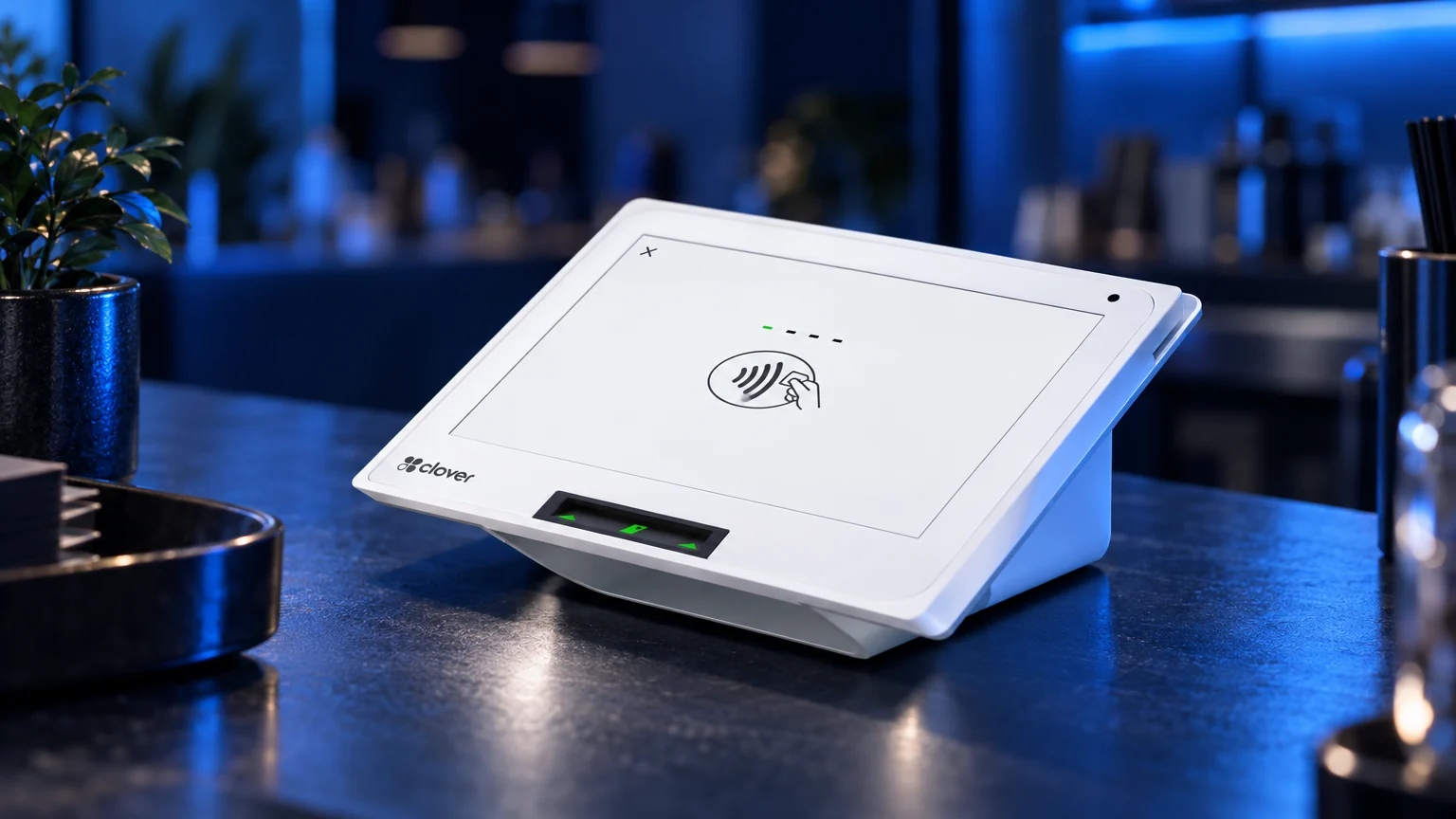
A Vancouver restaurant lives or dies by how smoothly the front of house runs on a busy Friday night. Orders need to reach the kitchen correctly, servers need to settle bills at the table, tips need to be tracked, and the owner needs clean reporting at close. Helcim and Clover both come up often when Canadian restaurant owners shop for a payments and POS setup, but they are built around different priorities. This guide compares them honestly on features, restaurant workflows, hardware, pricing structure, support and switching, and says plainly where each one fits best, including for businesses outside food service.
Quick Verdict
Choose Helcim if your priority is a lean Canadian payments account with transparent interchange-plus pricing, online invoicing, recurring payments, payment links, a virtual terminal and simple in-person card acceptance. It is a genuinely strong option for businesses that do not need deep restaurant or retail workflows.
Choose Clover if you want payment processing and POS operations in one connected system: menus with modifiers, tips, order types, tableside payment, staff permissions, inventory, reporting, an app marketplace, and countertop and handheld hardware built for all-day use, plus local setup through Blockpay Innovations.
Bottom line: Helcim is a practical payments-first choice. Clover is usually the better fit when the system needs to run the restaurant from order entry to end-of-day reporting. For a wider view of the local market, see our Vancouver POS comparison guide.
Feature Comparison at a Glance
| Category | Helcim | Clover through Blockpay |
| Primary strength | Payments, invoicing, virtual terminal and online payment tools | Integrated POS, payments, hardware, apps and operational workflows |
| Best use case | Professional services, B2B, invoicing-heavy businesses and simple checkout | Restaurants, cafes, quick service, retail, salons, clinics and other high-workflow merchants |
| POS depth | Works well for basic sales and payment acceptance | Menus, modifiers, employee permissions, tables, discounts, taxes, customer profiles and reporting |
| Restaurant tools | Suits simpler food service payment needs | Tableside ordering and payment, tips, order types and kitchen workflows through compatible apps and configuration |
| Hardware range | Card readers and smart terminals for payment acceptance | Countertop stations, compact devices, handhelds, printers, cash drawers and scanners |
| Online payments | Strong fit for invoices, payment links and card-not-present payments | Available through Clover and connected commerce tools, with emphasis on POS integration |
| Pricing style | Known for transparent, published interchange-plus style pricing | Statement-based review, with processing and software matched to the merchant |
| Setup | Generally self-directed or remote | Hands-on consultation, configuration, testing, training and cutover planning from Blockpay |
Restaurant Workflows: Where the Difference Shows
For a sit-down restaurant, cafe or quick-service counter, the terminal is rarely just a payment device. It is where staff build orders, apply modifiers, split cheques, prompt for tips and log in under their own permissions. Clover is designed around that reality. Menus can be organized into categories with modifiers, order types can separate dine-in from takeout, and handheld devices let servers take payment at the table or bust lines during a lunch rush.
Clover's app marketplace is a big part of the appeal for restaurants. Owners can add tools such as table management, online ordering and employee scheduling as their needs change, rather than replacing the whole system. That flexibility lets a single cafe grow into a busier operation, or a second location, on the same platform. The interface is also straightforward for staff to pick up, which matters in an industry with frequent hiring.
Helcim takes a lighter approach. Its POS and payment tools handle straightforward food and beverage sales well, and a bakery, coffee cart or small takeout counter with a short menu may find it covers everything they need. Where a restaurant relies on heavy modifiers, coursing, multiple service areas or kitchen coordination, Clover is usually the more complete fit.
Hardware Comparison
Clover's hardware lineup is one of its biggest advantages for brick-and-mortar merchants. A Vancouver restaurant can combine a countertop station at the host stand or bar, compact devices at a pickup counter and handhelds on the floor, with receipt printers, kitchen printers and cash drawers connected to the same system. Browse the range on our Clover POS systems page.
Picture a cafe on Commercial Drive that needs a counter device, a handheld for line busting and clear tip prompts, or a restaurant in Gastown running tableside payment across a busy patio. In those situations the hardware is part of how service works, not just how cards are tapped.
Helcim hardware is practical for merchants that need card acceptance without a large equipment footprint. Consultants, trades, mobile professionals and appointment-based operators taking payment at a desk or in the field can find it efficient and simple.
Pricing Structure: Compare Your Statement, Not a Rate Page
Helcim is often shortlisted by Canadian merchants because it emphasizes transparent interchange-plus pricing. For owners who dislike opaque statements, that is a real strength, and it can work well for businesses that understand their card mix.
Clover pricing depends on the hardware, software plan, business category, transaction types and processing setup. Because of that, Blockpay does not publish a generic rate or promise a blanket result. A restaurant with mostly tapped Interac debit, a boutique with heavy premium rewards card volume and a clinic taking deposits by phone will all see different cost patterns on the same pricing model.
A proper comparison looks at the whole statement: card mix, debit volume, keyed versus tapped transactions, assessment and card brand fees, premium card volume, batch patterns, terminal and equipment costs, gateway charges, software subscriptions and compliance items. Some merchants are on a structure that no longer matches how they take payments, or pay for tools they do not use. Resources from Payments Canada and Interac explain the broader Canadian payments environment, and Competition Bureau Canada offers useful context on informed purchasing and contract clarity. Your own statement, though, tells the real story.
Support and Local Setup
Helcim provides support for its platform and is known as a Canadian, merchant-focused provider. For owners comfortable with remote setup and a lighter POS environment, that model can work well.
Blockpay Innovations is a Vancouver-based authorized Clover dealer and registered ISO of Fiserv Canada, and adds a hands-on layer for Clover merchants. That includes statement analysis, hardware selection, menu and tax configuration, tip and receipt settings, staff accounts, test transactions, training and post-launch help. The difference is not only who answers a support call, but who makes sure the system is built correctly before the first live transaction. For a restaurant, a poorly configured menu or tip setting discovered mid-service is costly in stress and guest experience. Learn more about our merchant services.
Best Fit by Business Type
Restaurants, cafes and quick service
Clover is generally the stronger fit when you need menu modifiers, tipping, order types, staff permissions, tableside payment and multi-device setups. Helcim can suit simpler food businesses where accepting cards is the main requirement.
Food trucks and mobile vendors
Both can work. Helcim is efficient for simple mobile acceptance. Clover becomes more attractive when the mobile device needs menus, sales history, staff activity and reporting connected to a wider POS.
Retail shops and boutiques
Clover is usually stronger for SKU and variant management, inventory, barcode scanning, returns, customer records and daily reporting. Helcim fits lower-complexity retail or occasional in-person sales.
Salons, clinics and personal services
Clover often fits better where there is a reception counter, tips, retail products, staff-level reporting and purchase history. Helcim may suit businesses whose booking and invoicing already live in separate software and whose payment need is simple.
Professional services and B2B
Helcim often fits better here. Accountants, consultants, agencies, contractors and B2B firms that rely on invoices, recurring billing, payment links and card-not-present payments may not need a full POS at all.
Multi-location operators
Clover is often the better fit when an owner needs consistent hardware, permissions, menus and reporting across sites, though the right answer still depends on the operating model and a statement review.
Why Merchants Move from Helcim to Clover
Merchants rarely switch because Helcim is a poor processor. They switch when the business outgrows a payments-first setup.
- They need deeper POS workflows: modifiers, sections, staff permissions, kitchen coordination and daily closeout.
- They want purpose-built counter and handheld hardware: devices that run orders and service, not only payments.
- They want app flexibility: adding online ordering, scheduling or loyalty without rebuilding the system.
- They are adding staff or locations: roles, departments and consolidated reporting become important.
- They want local implementation help: a Vancouver team to configure, test and train instead of self-setup.
How Difficult Is It to Switch?
Switching is manageable, but there is real friction to plan for. Menus, modifiers, categories and floor plans may need rebuilding. Product lists, taxes, staff accounts, customer records and receipt preferences must be moved or recreated. Integrations with accounting, online ordering or booking tools should be reviewed before choosing a cutover date. On the payments side, there are application approvals, banking details, final batches, deposit timing and connectivity checks.
Blockpay handles setup, data transfer, testing and training before cutover. We configure the Clover environment, validate payments, test receipts, refunds, tips and end-of-day reports, confirm staff roles and train your team, then schedule the switch for a quiet window with a fallback plan so planned downtime stays minimal.
Honest Recommendation
If your business mostly sends invoices, takes online payments and wants a transparent payments platform without a full POS, Helcim deserves serious consideration. If your restaurant, cafe or shop depends on in-person service, staff efficiency, modern hardware, tipping, inventory and operational reporting, Clover through Blockpay is likely the stronger long-term fit. Either way, the reliable way to decide is to review your actual statement and workflow rather than comparing advertised pricing pages.
Get a Recommendation for Your Business
Already taking card payments? Send us your current merchant statement and we will review your card mix, fee components and hardware, then show whether Clover is a better operational fit. Book a free statement review or use our statement analysis form.
Opening a new restaurant or business with no statement yet? Tell us about your menu, layout, staffing and expected payment mix, and we will scope the right Clover setup. Request a setup quote.
Prefer to talk it through? Call (888) 831-2883.
Frequently Asked Questions
Which is better for restaurants, Helcim or Clover?
For most restaurants, cafes and quick-service operators that need menus, modifiers, tips, order types, staff permissions and dedicated countertop or handheld hardware, Clover is usually the better fit. Helcim can work well for simpler food businesses whose main need is straightforward card acceptance.
Is Helcim better than Clover for some Canadian businesses?
Yes. Helcim is often the better fit for consultants, agencies, contractors, B2B firms and other businesses that rely on invoices, recurring billing, payment links and virtual terminal payments rather than a busy in-store counter. If that describes your business, Helcim deserves serious consideration.
Is Clover available for Vancouver businesses through a local provider?
Yes. Blockpay Innovations is a Vancouver-based authorized Clover dealer and registered ISO of Fiserv Canada. We help merchants across Canada choose hardware, configure software, set up processing and train staff before launch.
Can Blockpay compare my current Helcim statement to a Clover option?
Yes. We review your current statement, transaction mix, card types, debit usage, hardware needs and POS workflow, then explain the pricing components and compare your setup with a properly scoped Clover option. We do not rely on headline pricing because real cost depends on how your business accepts payments.
Will switching from Helcim to Clover interrupt my restaurant?
Switching takes planning, but it does not need to be disruptive. Blockpay handles setup, data transfer, testing and training before cutover, schedules the switch for a quiet window where possible, and keeps a fallback plan ready to keep planned downtime minimal.
Should I just choose the processor with the lowest advertised pricing?
Not necessarily. The best choice balances payment cost, hardware, software, reliability, support and workflow fit. A pricing structure that looks simple can behave differently once your real card mix is applied, and a system that forces disconnected tools or slows checkout can cost more in staff time and service quality.