How to Choose the Best Payment Processor for Your Restaurant in Canada
The best payment processor for a restaurant is the one that fits how your restaurant actually serves guests. It should handle tableside or counter payments smoothly, manage tips cleanly and support Interac debit as well as credit. It should also give you a pricing structure you can read on your statement, and real people to call when a terminal stops working on a busy Friday. No single processor wins for every concept. A full-service dining room, a quick-service counter and a bar weigh these factors differently. This guide walks Canadian restaurant owners through what to compare, what drives cost and which questions to ask before signing.
What a Restaurant Needs From a Payment Processor
Restaurants put more strain on payments than most businesses. Volume arrives in rushes, bills are split, tips are added after the fact and the card often needs to travel to the guest. A processor that works well for a quiet retail counter can feel clumsy in a packed dining room. When you compare options, focus on five things.
- Service fit: whether payments can happen at the table, at the counter, at the bar or on a patio without slowing staff down.
- Tip handling: how tips are entered, adjusted and reported so end-of-night payouts reconcile.
- Debit and contactless support: Canadian guests expect to tap or insert Interac debit as easily as a credit card.
- Clear pricing structure: a statement you can read without a decoder.
- Support during service hours: a local contact who answers when something breaks mid-rush.
Payment Processor vs POS System: Why the Difference Matters
Owners often use the two terms interchangeably, but they are separate pieces. The POS system is the hardware and software your team uses to take orders, fire tickets and ring up checks. The payment processor, through your merchant account, moves money from the card networks into your bank account.
Some providers bundle both, and some let you mix and match. The bundled approach means one point of contact and less finger-pointing when something goes wrong. Keeping them separate can give you more choice, but you then manage two relationships. If you are still weighing POS options, our guide to the best POS system for restaurants covers the hardware side in more depth. To understand how Canadian payments move behind the scenes, Payments Canada explains the national payment systems that settle these transactions.
Tableside, Counter and Kitchen: Matching Hardware to Service
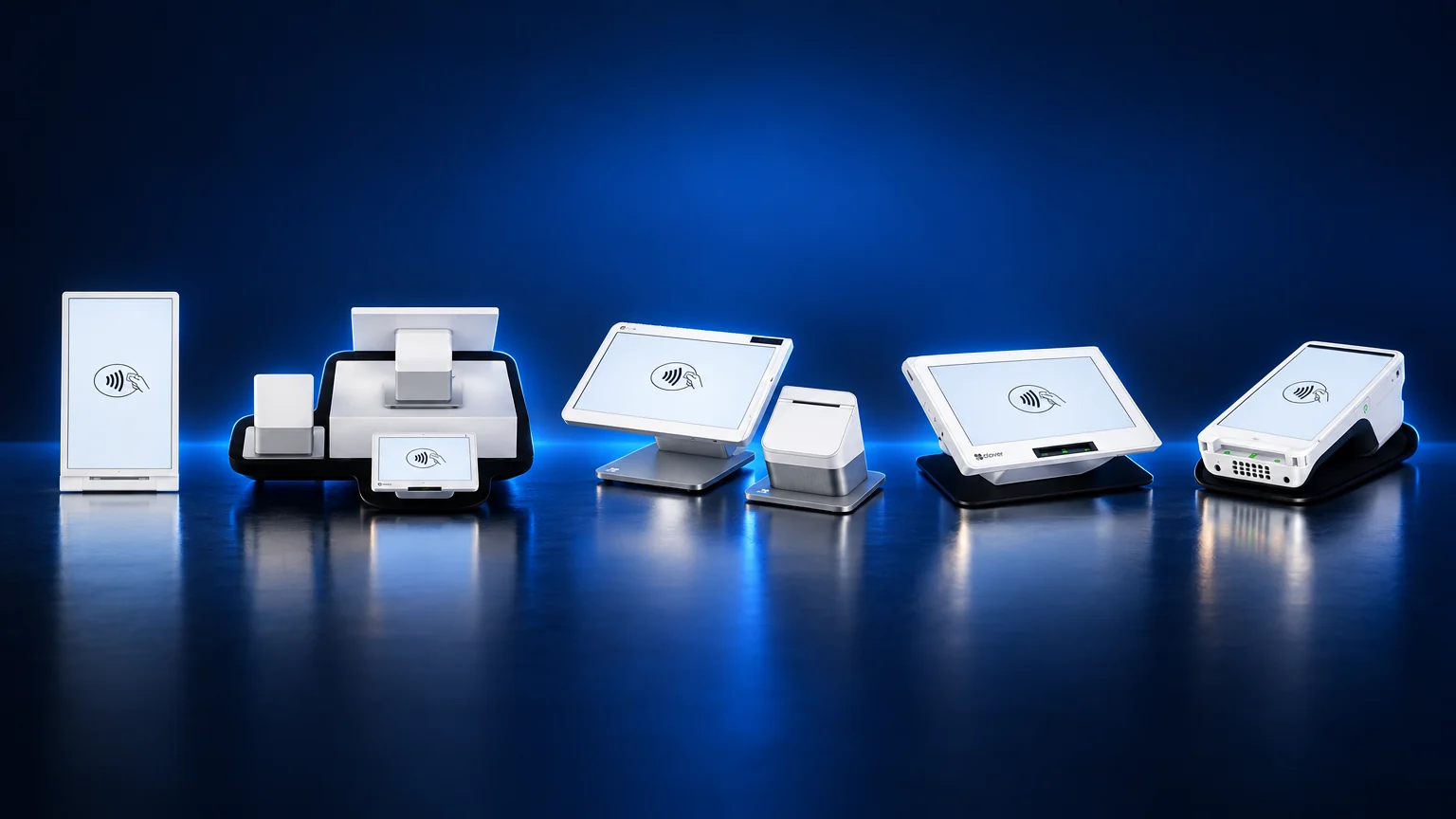
The processor matters, but the device in your server's hand shapes the guest experience. Clover offers several devices that suit different parts of a restaurant.
- Clover Flex: a handheld that runs on wifi or cellular, so servers can bring payment to the table, the patio or the bar rail. The card stays with the guest. See the Clover Flex page for details.
- Clover Mini: a compact countertop device for cafes, takeout counters and small spaces where room is tight.
- Clover Station Duo: a full countertop station that adds a customer-facing screen, which works well at a host stand or a busy order counter.
- Clover Station Solo: a countertop station without the customer-facing screen, for simpler counter setups.
- Clover Kiosk: self-order for quick-service concepts that want guests placing their own orders.
- Clover Kitchen Display System: sends orders to the line on a screen rather than paper tickets.
Many restaurants combine these, for example a Station Duo at the front with Flex handhelds on the floor and a Kitchen Display System on the line.
Tips, Split Bills and End-of-Night Reconciliation
Payment problems in restaurants rarely come from the card swipe itself. They show up at close, when tips do not match, a split check was entered twice or a server cannot find a missing ticket. Before you choose a processor, ask the provider to walk you through a real closing process. Ask how tips are captured, how they are adjusted if a guest writes one on a paper slip, and how they appear in reports. Clean reconciliation saves your manager time every night and keeps staff confident in their payouts.
Debit, Contactless and the Canadian Card Mix
Canadian restaurants see a different card mix than American ones. Interac debit is widely used here, and guests expect contactless tap to work with both debit and credit. Your processor and hardware need to handle Interac smoothly at the table and the counter. Interac publishes information on how debit and contactless payments work for Canadian businesses. Because debit and credit are priced differently, your guests' card mix also affects your monthly processing cost, which we cover below.
Questions to Ask Before You Sign
- Who do I call during service hours if a terminal goes down, and are they local?
- How is my pricing structured, and will each charge appear clearly on my statement?
- How long is the agreement, and what happens if I want to leave?
- Is the hardware purchased, financed or leased, and who owns it at the end?
- Who handles installation, menu setup and staff training?
- Can the system connect to online ordering if I add it later?
If an offer is hard to compare, the Competition Bureau publishes guidance on fair and transparent business practices that can help you judge how an offer is presented.
Best Fit by Business Type
| Restaurant type | What matters most | Typical Clover fit |
| Full-service dining | Tableside payment, tip handling, split checks | Station Duo at the host stand, Flex on the floor, Kitchen Display System |
| Quick-service and takeout | Fast counter flow, order accuracy | Station Duo or Mini at the counter, Kiosk for self-order |
| Cafes and bakeries | Compact footprint, quick tap payments | Clover Mini |
| Bars and pubs | Tabs, payment at the rail, late-night support | Station Solo or Duo behind the bar, Flex for floor service |
| Patios, food trucks and events | Mobility, cellular connection | Clover Flex |
For more on restaurant setups, see our POS for restaurants page.
Costs and Fees: What Drives the Number
Every restaurant's processing cost is different, and anyone quoting a single figure without seeing your business is guessing. These are the factors that move it.
- Card mix: debit, standard credit, premium rewards cards and business cards are priced differently by the card networks. A room full of rewards-card diners costs more to process than one paying mostly by debit.
- How the card is accepted: cards tapped or inserted in person carry less risk than cards keyed in by hand, and pricing reflects that.
- Pricing structure: some agreements pass network costs through with a set markup, while others blend everything together. The structure decides how transparent your statement is.
- Account-level charges: monthly, statement, compliance or equipment charges can matter as much as the per-transaction cost.
- Chargebacks and disputes: disputed transactions carry their own costs and administrative time.
- Hardware choice: the number and type of devices, and whether they are purchased or financed, affect your total outlay.
If you already process cards, your statement shows exactly which of these apply. Our guide on how to read your merchant statement walks through it line by line.
How Blockpay Helps
Blockpay Innovations is a Vancouver company, an authorized Clover dealer and a registered ISO of Fiserv Canada. We set up merchant accounts and card processing together with the Clover hardware your restaurant needs, so you have one local team for both.
Our work covers on-site installation, menu and inventory setup, on-site staff training and ongoing local support. We can also add online ordering and e-commerce integration, and we design restaurant websites. Eligible merchants can explore Clover Capital financing. Our office is at 500 - 666 Burrard St. in Vancouver, open Monday to Friday, 8:30am to 5:30pm Pacific.
Get a Statement Review or a Setup Quote
Already taking card payments? Send us a recent processing statement for a free statement review. We will show you what is driving your costs and whether a better-fitting setup exists.
Opening a new restaurant? You will not have a statement yet, and you do not need one. Use the same page to request a setup quote based on your concept and hardware needs.
Prefer to talk it through? Call (888) 831-2883.
Frequently Asked Questions
What is the best payment processor for a restaurant in Canada?
There is no single best processor for every restaurant. The right one depends on your service style, your card mix, how you handle tips and tableside payments, and the support you need during service. A full-service dining room, a quick-service counter and a bar each weigh those factors differently, so compare offers against how your restaurant actually runs.
Is a payment processor the same as a POS system?
No. The POS system is the hardware and software your staff use to take orders and ring up sales. The payment processor moves the money from the card networks to your bank account. Some providers bundle both, and a Clover system set up through Blockpay pairs Clover hardware with a merchant account through Fiserv Canada.
Can a new restaurant get a merchant account before it opens?
Yes. A new restaurant has no processing history, so there is no statement to review. Instead, Blockpay prepares a setup quote based on your concept, service style and hardware needs, so payments are ready before opening day.
What makes restaurant processing costs go up or down?
The main drivers are your card mix, whether cards are tapped or inserted rather than keyed in, the pricing structure in your agreement, any monthly or statement-level charges, and chargebacks. Reading your statement line by line is the most reliable way to see which of these affects you.
Do I need handheld terminals for tableside payments?
Not every restaurant does. Handhelds like Clover Flex suit full-service rooms, patios and bars where the card should stay with the guest. Counter-service cafes and quick-service spots often do well with a countertop device such as Clover Mini or Clover Station Duo.