Chase vs Clover POS for Vancouver Businesses
Executive Summary
Quick verdict for Vancouver businesses: Clover is usually the stronger fit if you want a flexible point-of-sale system, local setup help, in-person training and room to grow across countertop, handheld, mobile and online workflows. Chase can be a good fit for merchants who already bank with Chase-related services, want a more traditional acquiring relationship, or have a simple card acceptance setup that does not require deep POS customization.
For Vancouver restaurants, cafés, retailers, service businesses and multi-location operators, the practical question is not only which processor can accept cards. It is which setup gives you the right mix of hardware, payment acceptance, reporting, staff workflows, integrations, local support and transparent statement review. If you are comparing options, this article explains where Chase and Clover each fit, and when it makes sense to book a free statement review before signing or renewing anything.
Canadian merchants should also remember that payment costs and rules are shaped by card networks, debit rails, acquiring agreements and industry regulations. For broader Canadian payment context, resources such as Payments Canada, Interac and Competition Bureau Canada are useful references.
Quick Verdict
Choose Clover through Blockpay if you want modern POS hardware, restaurant or retail workflows, app flexibility, integrated payments, local Vancouver onboarding and a team that can review your statement before recommending a setup.
Consider Chase if your business already has a strong relationship with Chase, you prefer a conventional acquiring arrangement, or your payment needs are straightforward enough that POS flexibility, on-site training and local implementation are less important.
In plain terms: Chase may be enough if you primarily need card acceptance. Clover is usually the better fit if the payment terminal also needs to run your front counter, tableside orders, staff permissions, inventory, customer profiles, reporting and day-to-day service flow.
Feature Comparison
| Category | Clover through Blockpay | Chase |
| Best overall fit | Restaurants, cafés, retailers, salons, service businesses and multi-location merchants that want POS plus payments. | Businesses that want payment processing from a large financial institution and may not need advanced POS workflows. |
| Canadian processing | Available for Canadian merchants through Blockpay as a Vancouver authorized Clover dealer and authorized independent sales agent of Fiserv Canada. | Available to eligible Canadian merchants through Chase payment services and acquiring relationships. |
| POS functionality | Strong built-in POS tools with optional apps for inventory, staff, loyalty, reporting, online ordering and industry workflows. | Payment acceptance is the core strength. POS depth depends on the specific product, partner setup and merchant configuration. |
| Restaurant tools | Supports tableside payments, modifiers, menu management, tips, item-level reporting and front-of-house workflows depending on plan and hardware. | Can support restaurant payment acceptance, but restaurants may need to confirm how deeply the system supports ordering, tables, modifiers and reporting. |
| Retail tools | Inventory, variants, returns, customer profiles, employee permissions and reporting can be managed in one ecosystem. | Can work for retail payment acceptance. Retailers should verify inventory, catalogue and POS workflow needs before choosing. |
| Hardware choice | Countertop stations, compact terminals, handheld devices and mobile options are available within the Clover lineup. | Hardware availability depends on the Chase solution offered and the merchant agreement. |
| Local setup | Blockpay supports discovery, configuration, staff training, testing and go-live planning for Vancouver and Canadian merchants. | Support model may be more centralized depending on the account, product and channel. |
| Integrations | Clover App Market gives merchants a wider path to add capabilities as the business changes. | Integrations vary by product and should be confirmed before migration. |
| Statement review | Blockpay can review your current processing statement and explain rate categories, fees, hardware terms and possible optimization areas. | Merchants can request pricing from Chase, but comparing true total cost usually requires reviewing the full statement and contract terms. |
Pricing Comparison
Pricing is where many Vancouver businesses need to slow down and look beyond the headline rate. The true cost of payment processing is usually shaped by card mix, commercial cards, rewards cards, Interac debit usage, processor markup, monthly account fees, authorization costs, batch fees, PCI-related fees, chargeback fees, hardware terms and software subscriptions.
Clover pricing through Blockpay depends on your business type, processing volume, hardware needs, software plan and risk profile. Chase pricing also depends on the merchant agreement, processing profile and services selected. Because every business has a different mix of debit, credit, keyed transactions, tap transactions, commercial cards and online payments, a simple public comparison rarely tells the full story.
Where merchants overpay: overpayment often comes from bundled rates that hide card mix, outdated terminal agreements, unnecessary add-ons, mismatch between software plan and actual use, avoidable non-compliance fees, or pricing that made sense years ago but no longer fits current transaction patterns.
Blockpay does not guess from averages. We review your actual statement, identify the cost drivers and explain whether Clover is likely to improve your setup operationally, commercially or both. If your current Chase arrangement is already well matched, we will say so.
Why Merchants Switch from Chase
Merchants do not usually switch from Chase because it cannot process payments. They switch when their business has outgrown a simple payment setup and needs the POS to do more of the operational work.
- They want a stronger POS layer: restaurants and retailers often need menus, modifiers, item tracking, staff roles, customer history and reports in one place.
- They want local implementation help: Vancouver owners often prefer a local team that can guide setup, testing and training rather than leaving the business to configure everything alone.
- They want clearer statement interpretation: owners may see changing monthly costs but not understand which fees are driven by card mix, transaction type, add-ons or billing structure.
- They are adding locations or channels: a single terminal may be enough at first, but multi-device, multi-user or multi-location operations need more structure.
- They want better front-of-house flow: cafés, quick-service restaurants and full-service restaurants often need payments tied closely to orders, tips, modifiers and daily closeout.
For a broader local perspective on restaurant and retail POS choices, see our Vancouver POS comparison guide.
Hardware Comparison
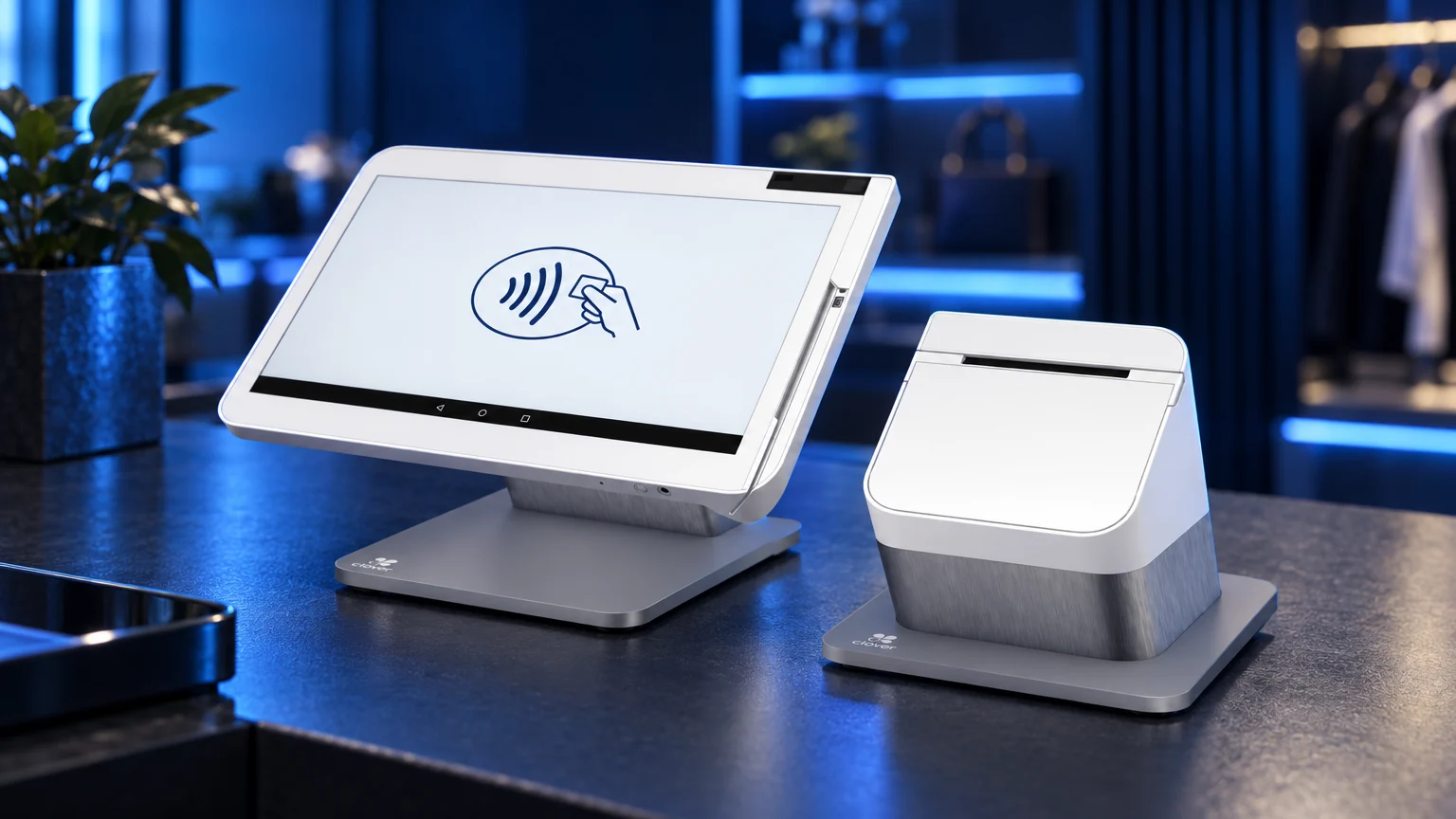
Clover stands out because its hardware range is designed around different merchant environments. A full-service restaurant may need countertop stations and handheld devices. A salon may need a compact register and mobile payment option. A retailer may want a screen, cash drawer, scanner and receipt printer. A market vendor may need a portable terminal.
Blockpay can help Vancouver businesses choose from available Clover POS systems based on counter space, staff workflow, menu or inventory complexity, mobility needs, receipt preferences, kitchen or prep areas and internet setup.
Chase hardware can be a practical fit for businesses that primarily need reliable card acceptance and do not require extensive POS customization. The main consideration is whether the available hardware and software combination matches how your team actually takes orders, closes bills, tracks items and reconciles the day.
Support Comparison
Support is a major difference for many Vancouver merchants. With Clover through Blockpay, the relationship is not just a device shipment. Blockpay helps assess your existing setup, recommend hardware, configure the system, review your statement, coordinate onboarding and prepare your team for launch.
Chase support can be suitable for merchants comfortable with a larger financial-services support model. That may work well for straightforward payment acceptance or for businesses that already have internal technical resources. For owners who want hands-on POS guidance, local context and help translating processing statements into plain language, Blockpay often provides a more practical path.
The best support model depends on your business. A seasonal retail kiosk may not need much help after setup. A busy Vancouver restaurant changing menus, adding staff permissions and managing tips may need deeper implementation and training.
Best Fit by Business Type
Restaurants, cafés and quick-service businesses
Usually better fit: Clover through Blockpay. Clover is generally stronger when the POS needs to manage items, modifiers, tips, staff permissions and order flow. Chase can fit if the restaurant only needs card acceptance or already has another POS handling operations.
Retail stores and boutiques
Usually better fit: Clover through Blockpay. Clover is a strong option when inventory, variants, exchanges, customer records and multi-device workflows matter. Chase can work for simpler retail payment acceptance where inventory is managed separately.
Professional services
Depends on workflow. If you only need to take payments at a desk or on the go, either provider may be suitable. If you also want customer profiles, invoices, reporting and a more integrated front-office setup, Clover deserves a close look.
Health, beauty and appointment-based businesses
Often better fit: Clover through Blockpay. Salons, spas and clinics often benefit from customer records, tips, staff tracking and integrated payment flow. Chase may be suitable where an existing booking system already handles most operations.
Enterprise or bank-led payment environments
Chase may fit better. Larger organizations with existing treasury, banking and procurement relationships may prefer a bank-led acquiring setup, especially if POS needs are handled by separate enterprise software.
How Difficult Is It to Switch
Switching from Chase to Clover is manageable, but it should not be treated as simply swapping terminals. Real friction can include contract timing, terminal return requirements, banking details, batch settlement schedules, PCI profile updates, staff retraining, menu rebuilds, inventory cleanup, product imports, customer data exports, gift card considerations, loyalty programs, online ordering connections, receipt formatting, tax setup and end-of-day reporting changes.
For restaurants, the biggest risks are usually menu accuracy, modifiers, printer routing, tip flow and staff comfort during service. For retailers, the biggest risks are inventory accuracy, barcode setup, variants, returns and reporting continuity. For service businesses, the key issues are invoices, customer records, recurring workflows and appointment-system coordination.
Blockpay handles setup, data transfer planning, configuration, payment testing and staff training before cutover. The goal is to complete the work before your go-live date, test real workflows, confirm settlement and reporting expectations, and schedule the change with minimal planned downtime. In many cases, the old and new systems can be coordinated so the business avoids an abrupt untested switch.
We also help you review your current agreement so you understand timing, obligations and any operational steps before making a move. That way, the switch is planned around your business calendar rather than forced during a busy rush, holiday period or staffing gap.
Honest Recommendation
If your Vancouver business only needs dependable card acceptance and you already have a comfortable Chase relationship, Chase may be a reasonable choice. It can also make sense for organizations that separate payment processing from POS operations and prefer a bank-led vendor relationship.
If you want your payment system to support daily operations, Clover through Blockpay is usually the better fit. It gives you modern hardware options, POS functionality, app flexibility and local onboarding support. The strongest reason to choose Clover is not just processing; it is the ability to connect payments with how your staff actually sells, serves, tracks and reports.
The most responsible next step is not guessing from a rate sheet. It is reviewing your current statement and workflow. Blockpay can show where your costs come from, whether your current setup is still competitive and whether Clover would solve enough operational issues to justify switching.
CTA
Before you renew, replace hardware or sign a new processing agreement, book a free statement review. Blockpay will review your current processing statement, explain the cost drivers in plain language and show whether Clover is a better fit for your Vancouver business. Prefer to talk now? call (888) 831-2883.
Frequently Asked Questions
Is Clover better than Chase for Vancouver businesses?
Clover is often better for businesses that need POS tools as well as payment processing. Chase can be a good fit for merchants who mainly need card acceptance or prefer a larger bank-led acquiring relationship.
Can Blockpay compare my Chase statement to a Clover option?
Yes. Blockpay can review your current processing statement, identify the main cost drivers and explain whether switching to Clover makes sense. The review focuses on your actual card mix, fees, hardware terms and business workflow.
Will switching from Chase to Clover interrupt my business?
It should be planned carefully, but it does not need to be disruptive. Blockpay helps with setup, data transfer planning, testing and staff training before cutover, with the goal of minimal planned downtime.
Does Clover work for restaurants in Vancouver?
Yes. Clover can support many restaurant workflows, including items, modifiers, tipping, staff access, reporting and handheld or countertop payment options depending on the selected hardware and software plan.
When might Chase be the better choice?
Chase may be better if your POS operations are already handled elsewhere, your payment needs are simple, or your organization prefers to keep acquiring within an existing bank-led relationship.
Can I keep my existing hardware if I switch?
Usually, payment hardware is tied to the processor and platform, so existing devices may not transfer. Blockpay will review your current setup and recommend the Clover hardware that fits your counter, mobile, retail or restaurant workflow.
What should I check before signing a new processing agreement?
Review your full statement, contract term, hardware obligations, software fees, PCI requirements, chargeback process, settlement timing, support model and cancellation terms. If you are unsure what the statement means, Blockpay can walk you through it.