Best Debit Machine for Small Business in Canada: A Practical Buyer's Guide
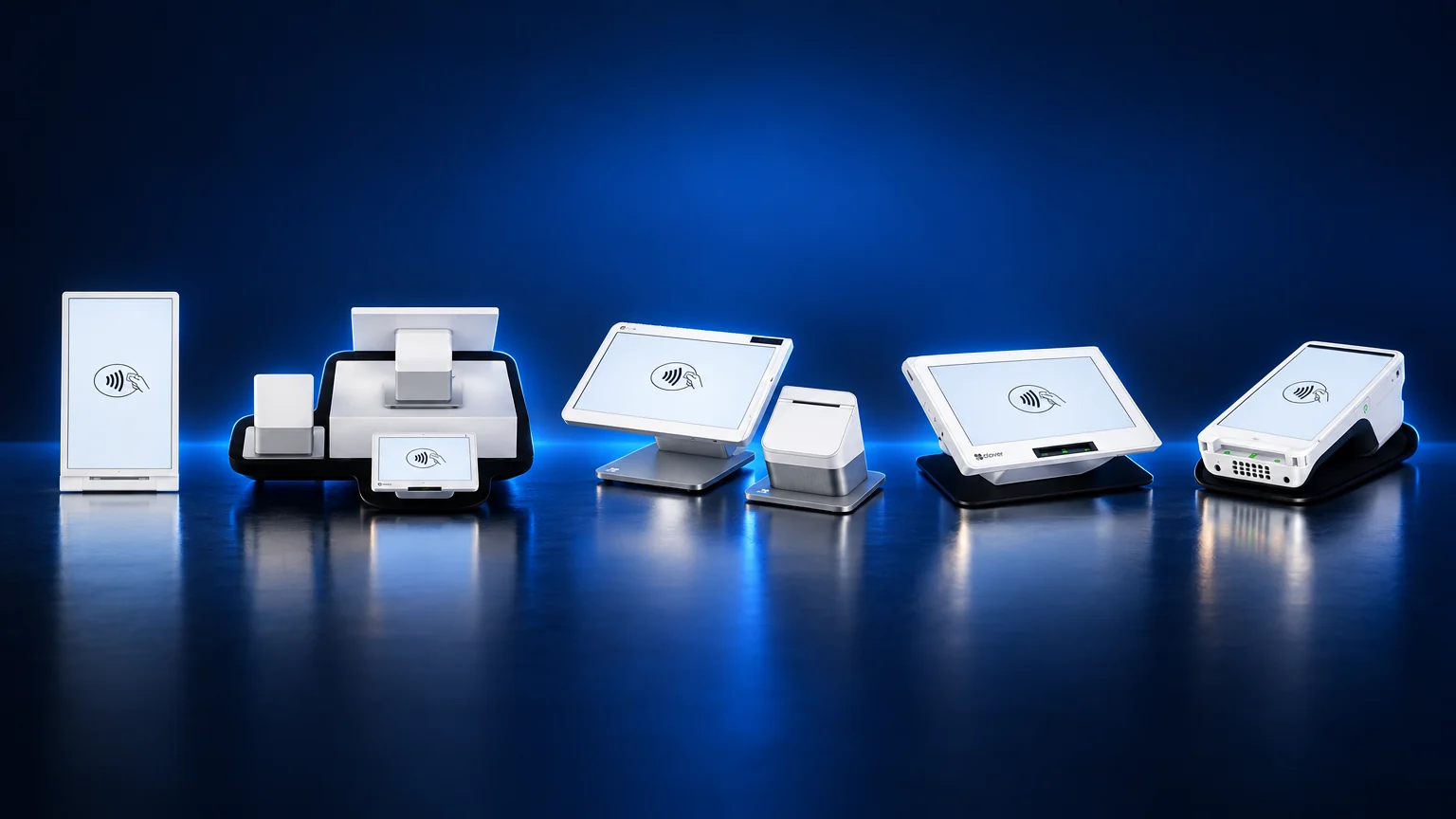
The best debit machine for a small business in Canada is the one that matches how and where you take payments. If customers always come to your counter, a compact countertop terminal is usually enough. If you carry payments to tables, curbsides or market stalls, a handheld makes more sense. If you also want inventory, staff management and reporting in one place, look at a full point of sale station. The machine itself matters less than three things around it: the merchant account behind it, the support you get when something goes wrong, and whether it can grow with your business. This guide walks through each choice in plain terms so you can buy with confidence.
What a Debit Machine Actually Does for a Canadian Small Business
Canadian shoppers expect to pay with debit, with credit, and by tapping a card or phone. A debit machine, also called a card terminal or payment terminal, reads the card and sends the transaction to a processor. Funds then settle into your business bank account through a merchant account. To learn how debit works across Canada, the Interac website explains the network. Payments Canada covers how the wider payment system moves money between financial institutions.
Every debit machine setup has two parts: the hardware on your counter and the merchant account that processes the payments. Many owners shop only for the hardware and treat the account as an afterthought. In practice, the account decides how funds reach you, who you call for help and how your costs are structured. Choose both together.
Standalone Terminal or Smart POS: The First Decision
Before comparing models, decide what job the machine needs to do. A standalone terminal only takes payments. Your staff key in the amount, and sales tracking happens somewhere else, often on paper or in a separate system. A smart point of sale device takes payments and also runs your business software, so each sale updates inventory, staff records and reports automatically.
- Standalone thinking suits very simple businesses with one price list and one person at the counter.
- Smart POS thinking suits businesses that track stock, manage several staff, sell online as well as in person, or want sales reports without manual work.
Clover devices are smart point of sale devices. Even the smallest one can grow from simple payments into a full system later, without replacing the hardware. For a deeper look at this trade-off, read our guide to integrated vs standalone POS.
Comparing Clover Debit Machines for Small Business
Blockpay is an authorized Clover dealer, so these are the devices we supply and set up. Each one accepts card payments. The difference is the form factor and the kind of counter it was built for.
| Device | Form | Typical fit |
| Clover Mini | Compact countertop | Cafes, bakeries, small shops and tight counters |
| Clover Flex | Handheld, wifi or cellular | Tableside service, patios, markets, delivery and mobile trades |
| Clover Station Solo | Full countertop station | Retail and service counters that need a larger screen |
| Clover Station Duo | Station plus customer-facing screen | Full-service restaurants and busy checkouts where customers confirm orders and pay |
The Clover Mini is the most common starting point for a small business that wants a reliable counter machine without giving up much space. The Clover Flex is the choice when the payment needs to travel to the customer. Many businesses pair the two: a Mini at the till and a Flex for the patio or the line at the door.
What to Look For Before You Buy
Use this checklist to narrow your options before you ask anyone for a quote:
- Where payments happen. Do customers always come to one counter, or do you go to them?
- Connectivity. A fixed counter usually has wifi. Markets, food trucks and deliveries may need cellular, which the Clover Flex supports.
- Counter space. A crowded counter favours a compact unit like the Mini.
- Customer interaction. If you want customers to see the order, add a tip or confirm details themselves, a customer-facing screen like the one on the Station Duo helps.
- Software needs. List what you want to track today and in a year, such as inventory, menus, staff hours or online orders.
- Support. Ask who installs the machine, who trains your staff and who answers the phone when it stops working.
- Agreement clarity. Read the merchant agreement and ask questions about anything you do not understand before you sign.
Best Fit by Business Type
- Cafes and bakeries: a Clover Mini at the counter handles quick, high-volume sales in a small footprint. Online ordering can be added as you grow.
- Retail shops: a Clover Station Solo gives staff a larger screen for item lookup and inventory. A Mini works well for smaller boutiques.
- Service businesses: salons, studios and repair counters often start with a Mini or Station Solo. Add a Flex if staff take payments away from the desk.
- Full-service restaurants: a Clover Station Duo at the host stand or bar, Flex handhelds for tableside payment and a Kitchen Display System on the line.
- Quick service counters: a Clover Kiosk lets customers order on their own while staff focus on preparing food.
- Mobile and market businesses: a Clover Flex on cellular lets you take payments wherever you set up.
Costs and Fees: What Drives the Number
We do not quote figures in articles, because the right number depends on your business. These are the factors that shape what a debit machine setup costs:
- Your card mix. Debit, standard credit and premium credit cards are processed differently. The share of each in your sales affects your total cost.
- How payments are taken. Card-present payments, such as tap, chip and PIN, are generally handled differently from cards keyed in by hand or taken online.
- Volume and average sale. How much you process, and the typical size of each sale, influence how a merchant account is priced.
- Hardware choice. A single Mini and a multi-device restaurant setup are very different investments.
- Software plan. More advanced features for inventory, staff or online ordering can change the overall cost.
If you already take cards, your current statement shows most of these factors. Our guide on how to read your merchant statement explains where to find each one.
Setting Up a New Debit Machine Without Disruption
Switching or adding a machine should not cost you a day of sales. A good setup follows a clear order:
- Open or move the merchant account first, so the device is ready to process when it arrives.
- Load your menu or inventory before installation day.
- Install and test the device on site, including printers and any kitchen screens.
- Train staff on daily tasks such as sales, refunds and end-of-day reports.
- Keep a support contact handy for the first busy week.
How Blockpay Helps
Blockpay Innovations is a Vancouver company. We are an authorized Clover dealer and a registered ISO of Fiserv Canada, which means we provide both the Clover hardware and the merchant account and card processing behind it. We handle on-site installation, menu and inventory setup and on-site staff training. After launch, we stay with you through ongoing local support. If your business sells online, we can integrate online ordering and e-commerce, and for restaurants we also design websites. Eligible merchants can also access Clover Capital financing. Any business that takes card payments can be served, from a single-counter shop to a multi-device restaurant.
Get the Right Debit Machine for Your Business
Already taking card payments? Request a free statement review. We will look at how you sell today and recommend the device and account setup that fits.
Opening a new business? You do not have a statement yet, and that is fine. Use the same page to request a setup quote instead.
Prefer to talk it through? call (888) 831-2883, Monday to Friday, 8:30am to 5:30pm Pacific.
Frequently Asked Questions
What is the best debit machine for a small business in Canada?
There is no single best machine for every business. A compact countertop unit such as the Clover Mini suits cafes and small shops. The Clover Flex suits businesses that take payments away from the counter. The Clover Station Solo or Station Duo suits businesses that want a full point of sale. The right choice depends on where you take payments, how much counter space you have and what software you need.
Can a Clover debit machine accept both debit and credit cards?
Yes. Clover devices accept debit and credit cards, including tap payments, through the merchant account they are connected to. Blockpay sets up the merchant account and the device together so both are ready when you open your doors.
Do I need a processing statement to get a quote for a debit machine?
Only if you already take card payments. An existing business can send a recent statement for a free review so the quote reflects how it actually sells. A brand new business has no statement yet, so it simply requests a setup quote instead.
Does the Clover Flex work without wifi?
The Clover Flex can run on wifi or cellular. That makes it a practical choice for patios, deliveries, markets and other places where a reliable wifi connection is not guaranteed.
Will someone help me install and learn the new machine?
Yes. Blockpay provides on-site installation, menu and inventory setup and on-site staff training. After that, you get ongoing local support from our Vancouver office, open Monday to Friday from 8:30am to 5:30pm Pacific.