Lightspeed vs Clover POS in Vancouver: Restaurants, Retail and More
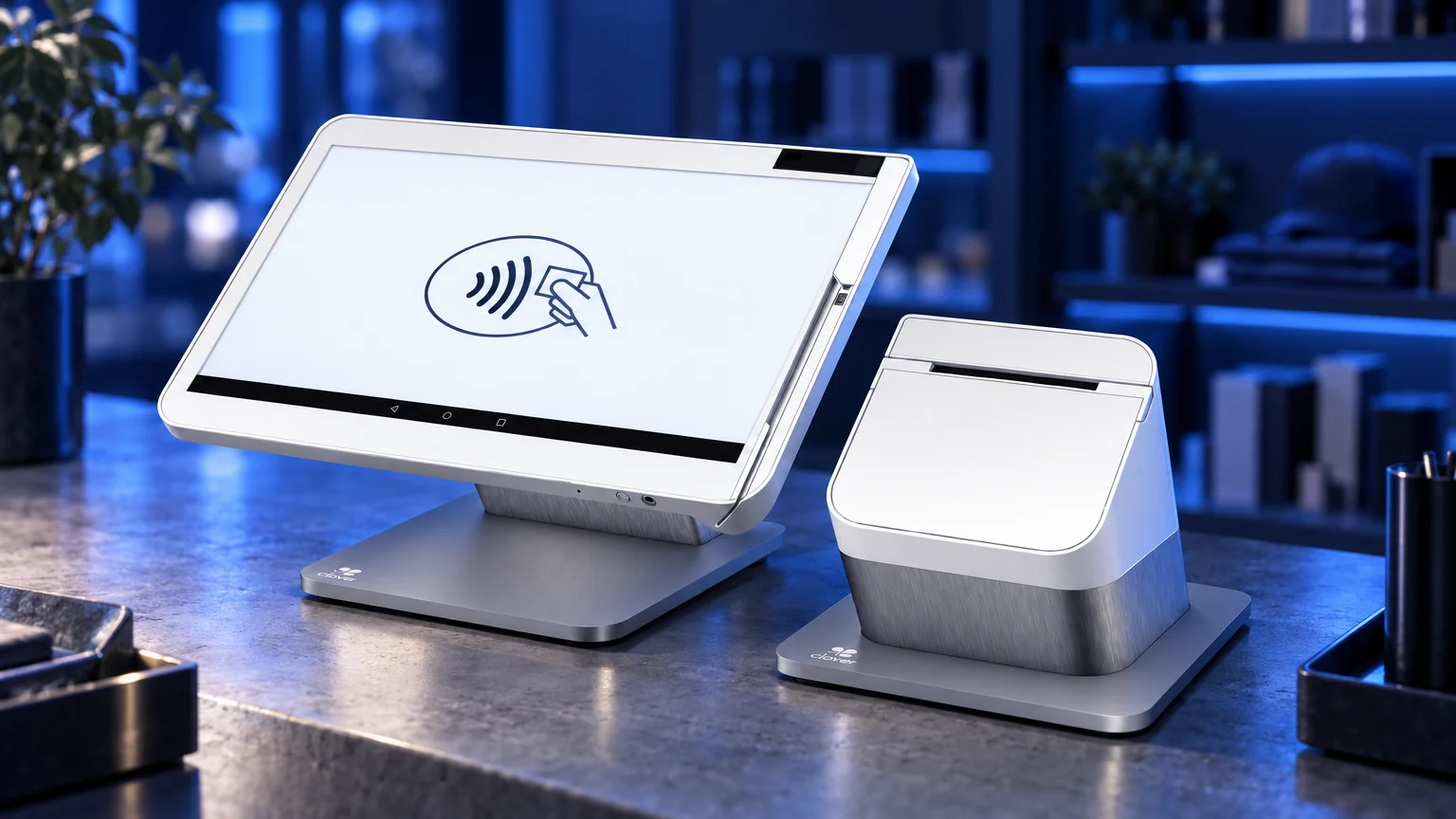
Vancouver businesses need more than a basic point of sale. Between lunch rushes in Gastown, patio season in Kitsilano, delivery orders in Mount Pleasant and late-night service on Commercial Drive, your POS has to keep staff moving, payments reliable and reporting clear. Lightspeed and Clover are two of the platforms Vancouver owners compare most often, and both are capable systems. The real question is which one matches how your business actually takes orders and collects revenue.
This guide compares Lightspeed with Clover POS as supplied and supported locally by Blockpay Innovations, a Vancouver authorized Clover dealer and registered ISO of Fiserv Canada. It focuses on restaurants and cafes, but also covers retail, service and mobile businesses, because the best choice changes with your business model. Where Lightspeed is the better fit, we say so.
Quick verdict
Choose Clover with Blockpay if you want one connected payment and POS setup, purpose-built countertop and handheld hardware, straightforward staff training, strong restaurant and service workflows, and a local team that plans setup and cutover with you.
Choose Lightspeed if you run an inventory-heavy business with large catalogues, purchasing and vendor workflows, multi-store stock and detailed retail reporting, or a hospitality operation with a structured management team that prefers a software-first platform and is comfortable configuring it in-house.
If you are still comparing categories more broadly, our Vancouver POS comparison guide can help frame the decision before you focus on software screenshots.
Feature comparison at a glance
| Category | Clover with Blockpay | Lightspeed |
| Best overall use case | Integrated payments and POS for restaurants, cafes, retail, services and mobile teams | Inventory-led retail and software-first hospitality operations |
| Payments | Integrated card acceptance through Fiserv Canada with Blockpay merchant support | Integrated payment options depending on plan, configuration and eligibility |
| Hardware | Clover Station, Mini, Flex, Go, printers, cash drawers and kitchen options | iPad-based setups with compatible peripherals |
| Restaurant workflows | Counter, table and quick service, tips, modifiers, kitchen printing, pay-at-table | Floor plans, coursing, modifiers and table management, varying by package |
| Retail inventory | Solid for many small and mid-sized retailers, extendable with apps | Very strong for SKU depth, purchasing, vendors and multi-store stock |
| Onboarding | Local setup, testing, staff training and cutover planning in Vancouver | Depends on package and support channel |
Where Lightspeed fits best
Lightspeed has a polished cloud platform with tools for menus, floor plans, staff permissions, reporting and multi-location visibility. On the hospitality side it offers table management, modifiers, coursing and inventory-related features that full-service restaurants use well. Operators with a structured management team often appreciate that depth.
Its strongest case is retail. For fashion, bike shops, specialty stores and multi-location retailers, Lightspeed handles large product catalogues, serial numbers, purchase ordering and vendor management very well. If inventory complexity is your main operating challenge, and its tools replace spreadsheets or manual counts, Lightspeed deserves a serious look.
Trade-offs to weigh
Every platform involves trade-offs, and these are worth thinking through rather than treating as flaws. First, cost grows with your setup. As a restaurant adds handheld ordering, extra stations, online ordering or advanced reporting, the add-ons and integrations needed to match your workflow should be priced out up front, not discovered later.
Second, consider hardware planning. Tablet-based setups are flexible, but they tend to be component-based: tablets, stands, scanners, printers, cash drawers and payment terminals all need to be coordinated. If you are reusing existing equipment, confirm compatibility early.
Third, think about your support preference. Lightspeed provides support resources and structured onboarding that suit businesses with an internal operations manager who can own the rollout. Owners who would rather have a local dealer who knows their layout, staff and service rhythm may prefer a different model. Neither approach is wrong; it depends on your team.
Why Clover with Blockpay works for Vancouver restaurants
Clover combines restaurant features, purpose-built hardware and payment processing through Fiserv Canada. The devices are designed as payment-first business tools rather than tablets with a card reader attached, so staff learn them quickly and customers recognize the payment flow.
- Clover Station works as a primary checkout or host stand.
- Clover Mini fits compact counters in cafes and takeout spots.
- Clover Flex supports pay-at-table, patios, line busting, curbside pickup and delivery.
- Clover Go suits occasional mobile acceptance at markets and pop-ups.
Restaurants can accept tap, chip, Interac debit, credit, mobile wallets and gift cards while pairing payments with kitchen printing, modifiers, tips, GST and PST settings and staff permissions in one consistent experience.
Blockpay focuses on matching the system to the restaurant rather than overselling equipment. A small cafe near Main Street may need only a compact counter terminal and receipt printer. A busy casual restaurant in Yaletown may need multiple stations, kitchen printing, handhelds for the patio, detailed staff permissions and reporting across shifts. You can start simple and add devices, loyalty tools, online ordering or apps from the Clover marketplace as you grow. Browse the range of Clover POS systems to see the options.
Comparing the real cost
Many owners compare only software subscriptions, which is the wrong comparison. The true cost of a POS includes payment processing structure, debit versus credit mix, equipment, add-on apps, gift cards, online ordering, chargeback handling and contract obligations.
Card mix matters more than most people expect. A cafe with many small tap debit transactions has a very different cost profile than a boutique with premium credit cards, and a full-service restaurant with tips and pre-authorizations differs again from a mobile service provider. Canadian payment rules are shaped by organizations such as Payments Canada and Interac, and the practical takeaway is simple: two businesses on the same POS brand can have very different effective costs.
That is why Blockpay starts with your merchant statement before recommending anything. Before choosing any POS, ask about hardware, processing structure, contract terms, add-ons, installation, training, support and future expansion. A POS should reduce stress, not add confusion.
Support and local accountability
Support quality depends heavily on who implements the system. When a printer stops firing to the kitchen or a terminal misbehaves mid-service, you want someone who already knows your setup. With Blockpay, Vancouver merchants have a local point of contact for needs assessment, statement review, setup, staff training, testing and post-launch questions.
That accountability matters because your POS is not just software. It is the register, payment terminal, order system and reporting hub your team uses every shift. If something affects payments, settlement, hardware or launch timing, Blockpay helps coordinate the practical steps. Local guidance also accounts for Vancouver realities such as patio season, tourism peaks, delivery volume and high staff turnover.
Best fit by business type
Restaurants, cafes and quick service
Clover is usually the stronger fit for hospitality businesses that want fast ordering, tips, modifiers, kitchen workflows, tableside or counter payment and easy training. Lightspeed still suits restaurants with a specific software preference and the internal resources to configure it.
Bars, food trucks and pop-ups
Clover Flex and Clover Go make card acceptance easy at events, markets, festivals and on the street. Lightspeed supports mobile scenarios too, but Clover hardware is particularly convenient when payments are central.
Retail boutiques and specialty stores
This is the closest category. Clover is strong for boutiques needing reliable checkout, customer records, gift cards, promotions and reasonable inventory. Lightspeed may fit better with large catalogues, serial numbers, detailed purchasing or multi-location stock.
Salons, clinics and service businesses
Clover typically matches front-desk checkout, deposits, tips and invoicing well. Without complex retail inventory, Lightspeed may be more than these businesses require.
Inventory-led multi-location retail
Here Lightspeed often has the stronger case. If purchasing, vendor control, SKU depth and centralized retail reporting drive your decision, it may simply be the better platform.
What switching actually involves
Switching has real friction, and it is better to plan for it honestly. Menus and modifiers need rebuilding, product lists need cleanup, taxes, tips, discounts and permissions need confirming, and printers and cash drawers need testing. Gift cards, customer records, reports and accounting integrations may also require planning.
Blockpay reviews your current setup, identifies what data can transfer, configures Clover, tests payment acceptance, checks receipts and reporting, validates tax settings and trains staff before go-live. Cutover is usually scheduled outside peak hours to keep downtime minimal. Some historical data may stay in your old system for reference, and certain custom reports or third-party integrations may need replacing.
Honest recommendation
If your biggest challenge is inventory, purchasing and vendor management, Lightspeed is a capable platform and may be the right system for you. If you are a Vancouver restaurant, cafe, service business, mobile operator or shop that wants payment-integrated hardware, local onboarding and clear accountability, Clover with Blockpay is the stronger recommendation.
The fair next step is a real comparison based on your workflow and statement, not guesswork. Merchants interested in how competition works in Canadian payments can also read resources from Competition Bureau Canada.
Compare Clover and Lightspeed for your business
Already taking card payments? Before you switch or renew any POS agreement, let Blockpay review your current merchant statement and workflow. Book a free statement review or use our statement analysis request.
Opening a new restaurant or shop with no statement yet? Tell us about your concept, layout and service style, and we will recommend a Clover setup. Request a setup quote or explore our merchant services.
Prefer to talk it through? Call (888) 831-2883
Frequently Asked Questions
Is Clover cheaper than Lightspeed?
There is no universal answer. Your real cost depends on hardware, software plan, add-ons, payment volume, card mix, transaction types and contract terms. Clover often makes sense for merchants who want integrated payments and purpose-built hardware, while Lightspeed can justify its cost when its retail inventory tools replace manual work. A statement review is the fairest way to compare.
Is Lightspeed better for retail than Clover?
For complex retail with large catalogues, purchasing, vendor workflows and multi-store stock, Lightspeed is often the better fit. Clover remains a strong retail POS for many boutiques and specialty shops, especially where integrated payments, hardware and local support are the priorities.
Is Clover or Lightspeed better for a Vancouver restaurant?
Both can run a restaurant. Clover with Blockpay tends to suit operators who want payment-first hardware, simple staff training, handheld and pay-at-table options, and local setup help. Lightspeed can suit restaurants with a structured management team that wants a software-first platform and is comfortable configuring it themselves.
Can Blockpay move my data from Lightspeed to Clover?
Blockpay can help review, prepare and transfer eligible data such as items, categories, modifiers, taxes and staff setup where practical. Some historical records or custom reports may need to stay accessible in the old system for reference.
Will my business have downtime during the switch?
Blockpay plans configuration, testing, staff training and cutover in advance so downtime is minimal and scheduled, usually outside peak hours. Payments, receipts, kitchen printing and tax settings are confirmed before the system goes live.
I am opening a new restaurant and have no statement. Can Blockpay still help?
Yes. Without a statement, Blockpay starts from your concept, layout, expected service style and staffing, then recommends a Clover setup and provides a quote so you can plan your opening with clear information.